How to Set Up Google Analytics on Shopify: A Step-by-Step GA4 Integration Guide

Accurate analytics are essential for understanding how customers interact with your Shopify store. Without reliable tracking, it becomes difficult to measure marketing performance, identify checkout drop-off points, or understand which products and collections drive revenue. Learning how to set up Google Analytics on Shopify correctly gives merchants the data needed to make informed decisions about growth, marketing, and conversion optimization. 

Fortunately, the days of copying and pasting complex code blocks into your liquid templates are over. Shopify and Google now provide a more straightforward integration process through the official Google & YouTube sales channel. Following the correct setup process helps ensure your reports remain accurate and consistent.

Why Older Tracking Methods Often Cause Reporting Issues

Many long-time e-commerce managers still try to hardcode tracking scripts directly into their theme headers or use outdated plugins. These older tracking methods frequently break whenever a theme updates or a checkout layout undergoes customization.

How to Set Up Google Analytics on Shopify

Relying on manual theme code injections to implement your tracking configuration creates immediate reporting discrepancies. Duplicate script tags can double-count sessions, inflate your conversion metrics artificially, and skew your baseline traffic reports. To protect the integrity of your analytics, you must use Shopify’s official integration that isolates data tracking from your theme files.

How to Set Up Google Analytics on Shopify

Setting up Google Analytics requires establishing a clean link between your store backend and your analytics property. By completing each step carefully, you can reduce reporting inconsistencies.

How to Set Up Google Analytics on Shopify

1. Generating Your Measurement ID

Before touching your storefront settings, you must configure a Google Analytics 4 (GA4) property inside your Google Analytics Account. Create a dedicated property matching your store name, set your reporting timezone, and align the default currency with your checkout settings. Next, establish a Web Data Stream using your primary custom domain. Once the stream is created, copy the unique Measurement ID formatted as G-XXXXXXXXXX.

2. Installing the Native Sales Channel

Once your Measurement ID is active, log into your admin panel to connect the integration. If you want to know how to set up Google Analytics on Shopify using native elements, the workflow requires utilizing the official application marketplace rather than modifying backend theme files.

1.Install the Official Channel App: 

Navigate to the App Store within your admin panel. Search for the official Google & YouTube channel developed by Shopify and click install. This app securely connects your Shopify store with Google Analytics.

2.Authenticate Your Google Identity: 

Open the newly installed channel from your left-hand sales channels menu. Click Connect Google Account and sign in with the specific credentials that hold administrative access to your analytics property.

3.Link the Data Stream: 

Locate the Google Analytics section within the channel interface. Choose the correct property from the dropdown menu that matches your copied Measurement ID, then click Connect to complete the connection.

Password Protection Warning: Google Analytics cannot crawl your store pages or log active user sessions if your storefront is locked behind an administrative password page. Ensure your site is live to the public before attempting to verify your real-time tracking signals.

Common Tracking Issues Shopify Merchants Should Watch For

Once the native connection is live, you must address several tracking and performance considerations. Running multiple tracking tools requires balancing accurate reporting with site performance.

1. Optimizing Script Delivery for Page Performance

Every pixel, script, and external tag you load on your storefront consumes precious browser resources. If your tracking tags are poorly sequenced, they can delay your Largest Contentful Paint (LCP) and cause frustrated visitors to bounce. Implementing a specialized shopify speed optimization plan allows you to lazy-load non-critical scripts, ensuring your site remains responsive while maintaining consistent tracking across the store.

2. Managing Checkout Extensibility Event Parameters

A common pain point for scaling brands is tracking users through custom checkouts. When implementing custom elements or advanced apps via shopify custom features development, standard event triggers can sometimes fail to pass checkout parameters cleanly. Ensuring your custom application pixels align with the platform’s native event specifications prevents revenue attribution drops during checkout stages.

3. Resolving Advanced Tracking Problems

If your business uses multiple advertising channels and customer journeys, basic out-of-the-box tracking solutions may leave missing data in reports. For merchants who find themselves overwhelmed by custom event rules, cross-domain referral exclusions, or server-side API setups, investing in professional shopify consulting can help audit your tag manager implementation and improve reporting accuracy between your ad platforms and your store database.

Essential Core Events Tracked Automatically

The official integration automatically tracks many of the core e-commerce events required by most Shopify stores. You do not need to manually configure variables to capture core user behaviors.

Event Name Trigger Action E-commerce Significance
Page View A user lands on any index or collection URL. Tracks top-of-funnel traffic volume.
View Item A customer views a specific product detail page. Measures individual product discovery interest.
Add to Cart A visitor selects a variant and adds it to their cart. Quantifies high-intent buying consideration.
Begin Checkout The user initiates the payment and shipping sequence. Pinpoints initial checkout drop-off rates.
Purchase The confirmation page renders after a successful order. Feeds exact revenue data back to your dashboard.

Conclusion

Implementing how to set up Google Analytics on Shopify configurations is only the first phase of a scalable data infrastructure. Cultivating a reliable reporting environment ensures your marketing team isolates high-performing channels while eliminating checkout attribution blind spots. Executing this GA4 integration correctly gives your brand a clean data pipeline to support long-term CRO testing and storefront growth.

If your brand requires a deep tracking audit, an omni-channel pixel overhaul, or custom event tracking development, the optimization team at Zissu Global is here to improve your tracking setup. Contact us today to discover how our custom online store development and conversion rate optimization services can stabilize your tracking infrastructure and protect your marketing attribution.


Is It Better to Sell on Shopify or Amazon? The Core Trade-Offs

Is It Better to Sell on Shopify or Amazon

Choosing the right sales channel is one of the most important decisions an e-commerce business can make. For brands evaluating long-term growth opportunities, the discussion often comes down to two options: building an independent storefront on Shopify or selling through Amazon’s marketplace.

To determine whether it is better to sell on Shopify or Amazon, you need to consider your business goals, marketing strategy, profit margins, and how much control you want over your customer relationships.

The Trade-Off Between Reach and Ownership

At its core, the Shopify versus Amazon decision is a choice between exposure and ownership.

Amazon gives businesses immediate access to a massive audience of shoppers who are actively searching for products. This can accelerate sales, particularly for newer brands that have not yet built their own traffic sources.

Shopify takes a different approach. Instead of renting space on a marketplace, you build and control your own online store. While generating traffic becomes your responsibility, you gain complete ownership of your customer relationships, marketing channels, and brand experience.

Is It Better to Sell on Shopify or Amazon

Analyzing this core distinction is the critical first step in evaluating whether it is better to sell on shopify or amazon.

Customer Ownership and Brand Control

One of the biggest differences between the two platforms is access to customer data. If you are analyzing whether it is better to sell on shopify or amazon, data ownership represents the core bottleneck influencing long-term brand equity.

When selling on Amazon, customer information remains largely within Amazon’s ecosystem. Communication options are limited, and building long-term relationships can be challenging. Customers often remember purchasing from Amazon rather than from the brand itself.

With Shopify, every customer becomes part of your business database. You can build email marketing campaigns, loyalty programs, SMS campaigns, and personalized retention strategies. Over time, this allows merchants to increase customer lifetime value and reduce reliance on paid acquisition channels.

For brands focused on building long-term equity, customer ownership is often the strongest argument for Shopify.

Profit Margins and Operating Costs

Amazon provides built-in traffic, but that visibility comes at a cost. Referral fees, fulfillment expenses, storage charges, and advertising costs can significantly reduce profit margins.

Shopify merchants face a different cost structure. While they must invest in marketing and customer acquisition, they avoid many marketplace-related fees and maintain greater control over pricing and profitability.

As a result, businesses with efficient marketing strategies often achieve stronger long-term margins through an independent storefront.

Marketing Flexibility

Marketing opportunities differ substantially between the two platforms.

Amazon limits how merchants can present products and communicate with customers. Product pages follow standardized layouts, and customization options remain limited.

Shopify provides complete flexibility. Merchants can create landing pages, buying guides, educational content, email campaigns, and custom promotional experiences tailored to their audience.

This flexibility becomes increasingly valuable as brands expand their product catalog and customer base.

Store Performance and Scalability

Building your own storefront introduces additional responsibilities, including site performance and user experience management.

Page speed, navigation, mobile usability, and conversion optimization all influence how effectively a Shopify store generates revenue. As traffic increases, maintaining fast page loads becomes increasingly important. Investing in Shopify speed optimization helps preserve site performance and conversion rates, ensuring the storefront remains agile as transactional volume grows.

Businesses that require unique functionality often invest in shopify custom features development to support specific operational or customer experience requirements.

Is It Better to Sell on Shopify or Amazon

The ability to adapt and customize the customer journey becomes increasingly important as businesses scale.

Fulfillment and Operational Considerations

Amazon’s Fulfillment by Amazon (FBA) network offers a convenient solution for storage, packing, and shipping. For many sellers, this reduces operational complexity and allows them to focus on sourcing products and generating sales.

Shopify merchants have more flexibility in choosing fulfillment partners, third-party logistics providers, or internal warehouse operations. While this requires additional management, it also gives businesses greater control over customer experience and fulfillment costs.

The right choice depends on your operational resources and growth objectives.

Why Many Brands Use Both

For many established businesses, the answer to is it better to sell on Shopify or Amazon is not choosing one platform exclusively. Many successful brands use Amazon to acquire new customers while building long-term customer relationships through Shopify.

A hybrid strategy allows brands to benefit from Amazon’s built-in audience while simultaneously building a direct-to-consumer channel through Shopify.

In this model, Amazon helps acquire new customers, while Shopify serves as the primary destination for repeat purchases, loyalty programs, and long-term customer retention.

Many e-commerce businesses leverage this multi-channel infrastructure to mitigate platform risk and protect their revenue distribution.

Key Comparison

Feature Area Amazon Marketplace Shopify Store
Traffic Source Built-in marketplace volume. Organic search, owned email, and paid media.
Customer Ownership Restricted access to buyer data. Full ownership of customer relationships.
Brand Control Governed by centralized ecosystem rules. Complete control over branding and UI/UX.
Marketing Flexibility Standardized layout constraints. Extensive core codebase customization options.
Fulfillment Options Amazon FBA distribution network. Flexible third-party logistics (3PL) or internal WMS.
Long-Term Asset Value Marketplace storefront presence. Independent, scalable enterprise asset.

Conclusion

When evaluating whether it is better to sell on shopify or amazon for your specific business model, there is no universal framework. Amazon offers immediate volume and built-in logistics to capture existing demand. Shopify provides a dedicated environment for customer ownership, scalable asset value, and complete control over the backend code. Choosing the right direction ultimately depends on your internal growth infrastructure, performance marketing capabilities, and architectural roadmap.

If your business requires platform migration support, custom integrations, online store development, or conversion-focused Shopify improvements, the team at Zissu Global can help you build a Shopify storefront that supports your operational requirements, customer experience goals, and future expansion plans.

How to Add Google Reviews to Shopify Website: Maximizing Social Proof

How to Add Google Reviews to Shopify Website

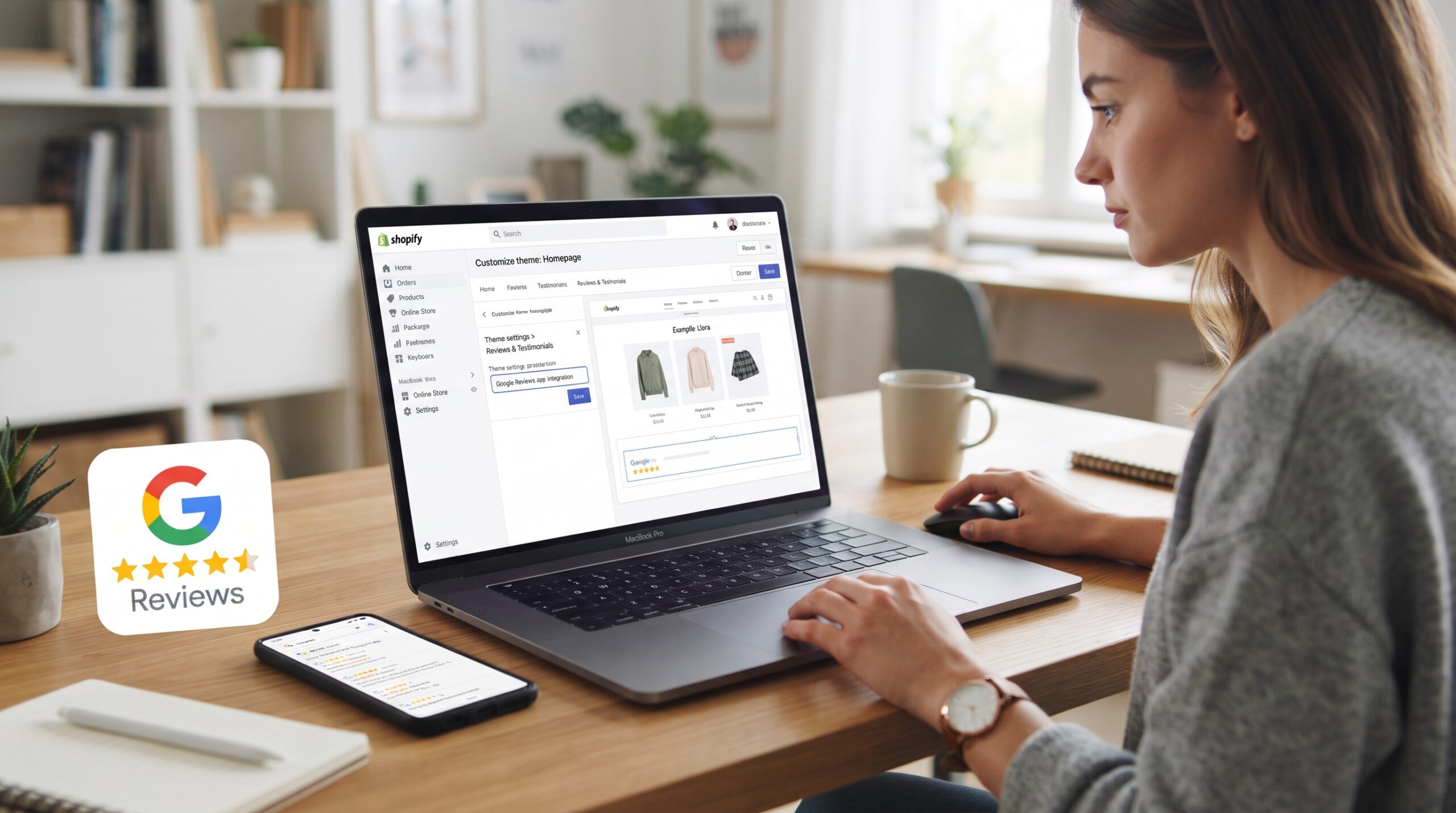
Customer reviews are often one of the first trust signals visitors look for when they land on a Shopify store. Displaying verified Google reviews can help reduce hesitation and give shoppers confidence before they reach the cart.  When new visitors arrive at your storefront, they look for reassurance that your business is trustworthy. Learning how to add google reviews to shopify website layouts is one of the fastest ways to establish social proof, pulling authenticated customer feedback directly onto your core sales pages.

The Role of Reviews in Building Trust

Consumers look for independent validation before handing over their credit card details. Unlike onsite testimonials that can be easily fabricated Google reviews often carry more weight than onsite testimonials because they are linked to real Google accounts. 

How to Add Google Reviews to Shopify Website

Displaying these authentic ratings directly on your site helps address customer hesitation right at the point of purchase. This transparency lowers your bounce rates, shortens the consideration phase, and boosts your overall conversion metrics. If you are struggling to build customer confidence, setting up this integration correctly is the best way to turn your existing reputation into a valuable trust signal.

The Technical Infrastructure Behind Review Syncing

Before looking into the execution steps, you need to understand how the platform processes this data. To show external feedback on your storefront, your theme needs to pull information from your Google Business Profile via an Application Programming Interface (API).

This process can be handled through automatic scripts or dedicated software widgets. The script fetches your latest ratings, formats them to match your branding, and updates the display dynamically. Making sure this data transfer occurs efficiently ensures your page loading speeds remain uncompromised while keeping your public feedback accurate and fresh.

Technical Optimization for How to Add Google Reviews to Shopify Website Layouts

Integrating external scripts can introduce performance issues if handled incorrectly. Many merchants install heavy, unoptimized tracking widgets that stall the browser, creating a frustrating experience for the visitor. Whether you are using an app or custom code, you need to balance visual social proof with underlying site efficiency.

How to Add Google Reviews to Shopify Website

1. Managing External Dynamic Scripts

Every time a page loads, an external review widget must send a request to Google’s servers to fetch your data. If this script is render-blocking, the browser will stop loading your images and text until the review data arrives. By ensuring these scripts load asynchronously, you tell the browser to finish loading the core storefront experience first. This is a common tactic for shopify speed optimization that allows you to display your reviews without sacrificing your Core Web Vitals scores.

2. Auditing Theme App Bloat

Using pre-built widgets from the app store is convenient, but every active plugin adds extra code to your store’s architecture. Take the time to audit your app library and ensure your review tool is not loading redundant asset files across your entire site. For brands that require deep performance control, shopify custom features development can help you replace bulky third-party apps with a streamlined, native API integration that protects your page health.

3. Implementing Proper Asset Lazy Loading

If you choose to place a large review carousel directly on your homepage, ensure the images and text blocks utilize lazy loading. This technique delays the rendering of the widget content until the user actually scrolls down to that specific section. If you need to audit how your theme handles these dynamic elements, shopify consulting can identify if your social proof configuration is limiting mobile performance.

4. Direct Theme Code Customization

When researching how to add google reviews to shopify website configurations safely, advanced merchants often opt for manual theme integration. By generating an HTML embed code from your Google Business account or an external aggregator, you can paste the snippet directly into your theme’s Liquid files. This method removes the need for background app management entirely, keeping your codebase clean. For complex storefronts, managing these custom blocks via Google Tag Manager can also help you organize and deploy the code without cluttering your main templates.

Streamlining Your Storefront Templates

Your theme uses a template language called Liquid to generate your web pages. Inefficient logic or poorly integrated code snippets in your product templates can increase server response times, leading to sluggish behavior.

Streamlining these templates ensures the server sends the HTML to the browser quickly, keeping your site responsive. If your development team is looking for a clean way to integrate social widgets while updating your backend, online store development best practices focus on keeping your product and collection layouts structured and lightweight.

Key Integration Checklist

Metric Area Target Goal Strategic Outcome
Widget Placement Above the fold or near cart triggers. Maximizes visual trust instantly.
Script Loading Asynchronous or deferred execution. Prevents page rendering delays.
Review Filter Isolate 4-star and 5-star ratings. Maintains a high-converting profile.
Mobile Layout Fully responsive touch carousels. Ensures clean rendering on mobile devices.

Conclusion

Implementing how to add google reviews to shopify website elements is a continuous trust-building strategy rather than a one-time configuration. As your business generates new feedback, keeping this integration active ensures your storefront constantly showcases updated customer validation near high-intent funnel areas. Prioritize lightweight code, monitor dynamic script behavior, and position your widgets where they actively support the buyer’s journey. Executing this social proof strategy effectively keeps your conversion rates optimized as your store scales.

If your e-commerce brand requires advanced API connections, custom review filtering, or a full theme overhaul, the team at Zissu Global is ready to assist. Contact us today to learn how our best cro strategies can turn your verified customer feedback into a support stronger conversion rates and long-term customer trust.

How to Get Traffic to Your Shopify Store: Proven Strategies for Sustainable Growth

How to Get Traffic to Your Shopify Store

Launching a Shopify store is only the first step. Even the most well-designed storefront cannot generate sales without a consistent flow of qualified visitors. For many merchants, mastering how to get traffic to your Shopify store is the most critical hurdle to clear after launch.

Traffic generation is not about chasing every available marketing channel. Successful brands focus on attracting the right audience through a combination of search visibility, paid advertising, email marketing, content creation, and customer retention. By attracting customers from several sources, merchants can reduce dependence on a single traffic source while creating a more predictable path to growth.

How to Get Traffic to Your Shopify Store

Start With Search Engine Optimization

Organic search remains one of the most valuable traffic channels for Shopify stores. Unlike paid advertising, search engine optimization continues generating traffic long after content is published.

A strong SEO strategy should focus on:

    • Product page optimization
    • Collection page optimization
    • Keyword-targeted content
    • Internal linking
    • Technical site performance
    • Structured data implementation

Merchants researching how to get traffic to your Shopify store often overlook technical SEO issues that prevent search engines from properly crawling and indexing content.

How to Get Traffic to Your Shopify Store

Optimizing site architecture and page speed drives organic visibility while creating a frictionless customer experience. Businesses looking to strengthen their organic search presence may benefit from professional Shopify SEO services and strategic technical improvements.

Invest in High-Intent Paid Advertising

While SEO provides long-term benefits, paid advertising can generate traffic immediately.

Platforms commonly used by Shopify merchants include:

    • Google Ads
    • Meta Ads
    • TikTok Ads
    • Pinterest Ads
    • Microsoft Ads

The key is targeting users with clear purchasing intent rather than focusing exclusively on traffic volume.

High-quality traffic converts more effectively than large amounts of untargeted visitors. Merchants should continuously monitor return on ad spend, conversion rates, and customer acquisition costs to ensure advertising campaigns remain profitable.

Build an Email Marketing Engine

Email remains one of the highest-performing marketing channels for e-commerce brands.

Every visitor who joins your email list becomes an opportunity for future revenue generation. Welcome sequences, abandoned cart campaigns, product launch announcements, and customer retention campaigns can all contribute to long-term growth.

For many businesses, email retention is vital; knowing how to get traffic to your Shopify store via owned channels allows you to re-engage previous visitors without relying entirely on paid acquisition.

As stores scale, integrating email marketing with customer segmentation and automation workflows can significantly improve marketing performance.

Create Content That Supports Purchase Decisions

Content marketing helps attract visitors who are actively researching products and solutions.

Examples include:

    • Buying guides
    • Product comparisons
    • Educational articles
    • Industry resources
    • Frequently asked questions

Well-structured content can generate traffic through search engines while helping customers move closer to a purchase decision.

When content is aligned with customer intent, it supports both traffic growth and conversion performance. Merchants working with experienced Shopify specialists often combine content marketing with technical SEO improvements to increase search exposure.

Leverage Social Media Strategically

Social media can be an effective traffic source when aligned with your overall marketing strategy.

Rather than posting content without a clear strategy, merchants should focus on:

    • Product demonstrations
    • User-generated content
    • Customer success stories
    • Educational content
    • Promotional campaigns

The goal is not simply engagement. The goal is moving qualified visitors into your sales funnel.

Social media performs best when it complements SEO, email marketing, and paid advertising rather than operating as a standalone traffic strategy.

Improve Store Performance Before Scaling Traffic

Many merchants focus on generating traffic before evaluating whether their store is prepared to convert visitors.

Store performance directly impacts:

    • Bounce rates
    • Conversion rates
    • Search visibility
    • Advertising efficiency

Slow-loading pages, poor mobile experiences, and confusing navigation can reduce the effectiveness of every traffic source.

Businesses looking to improve performance may benefit from Shopify Website Development services to ensure the storefront supports future growth. Improving technical performance often produces better results than increasing advertising spend alone.

Use Customer Retention to Generate Repeat Traffic

Acquiring new visitors is important, but retaining existing customers is often more profitable.

Repeat customers frequently return through:

    • Email campaigns
    • SMS marketing
    • Loyalty programs
    • Subscription programs
    • Product replenishment reminders

Strong retention strategies help merchants maximize the value of every acquired customer.

Merchants seeking sustainable growth often invest in both acquisition and retention initiatives rather than focusing exclusively on new customer generation.

Common Traffic Sources for Shopify Stores

Traffic Source Speed of Results Long-Term Value
SEO Slow High
Google Ads Fast Medium
Meta Ads Fast Medium
Email Marketing Medium High
Content Marketing Slow High
Social Media Medium Medium
Referral Programs Medium High

Why Diversification Matters

One of the biggest mistakes merchants make when learning how to get traffic to your Shopify store is becoming dependent on a single channel.

Algorithm changes, advertising costs, and platform updates can significantly impact performance. Diversifying traffic sources helps reduce risk while creating more stable growth over time.

Successful brands rarely rely on a single source of traffic. Instead, they combine SEO, paid advertising, email marketing, content creation, and customer retention efforts to keep new and returning customers coming to their store.

Merchants looking for long-term scalability frequently work with Shopify Consulting specialists to identify the most effective combination of traffic sources based on their products, audience, and growth objectives.

Measuring Traffic Performance

Generating traffic is only one part of the equation. Merchants must also understand how visitors interact with their store.

Key metrics to monitor include:

    • Organic traffic growth
    • Conversion rate
    • Average order value
    • Customer acquisition cost
    • Bounce rate
    • Returning visitor percentage

Tracking these metrics helps identify which channels generate the highest-quality traffic and where future investments should be focused.

Conclusion

Driving sustainable revenue requires more than simply increasing visitor counts; mastering how to get traffic to your Shopify store means attracting high-intent buyers and building loops for repeat purchases.

Merchants who invest heavily in organic search infrastructure, structured paid acquisition, content loops, and lifecycle email automation scale faster than those relying on a single, vulnerable marketing channel.

If your business needs help improving traffic generation, optimizing store performance, or building a growth plan that can support expansion, the team at ZISSU Global can help. From Shopify Consulting and Shopify Website Development to conversion optimization and platform improvements, ZISSU works with merchants to build stores designed for long-term growth. If you are planning a new store launch or need help scaling an existing business, visit Work With Us to discuss your project.

How to Set Up Pre Order on Shopify: A Strategic Guide for Scaling Brands

How to Set Up Pre Order on Shopify

Pre-orders allow Shopify merchants to start generating sales before inventory arrives. Whether you’re launching a new product or managing supply chain delays, a well-structured pre-order strategy can help maintain revenue while giving customers access to upcoming products. For e-commerce merchants, mastering how to set up pre order on shopify allows you to build clean workflows and capture demand before inventory even arrives at your warehouse. By allowing customers to buy upcoming items, you validate product demand, secure early revenue, and keep customers interested in upcoming products.

How Pre-Orders Support Product Launches

Selling items before they are physically in stock keeps your sales coming in during production delays. When production timelines stretch, a pre-order strategy helps maintain sales while inventory is being produced, ensuring your marketing momentum does not go to waste.

How to Set Up Pre Order on Shopify

Beyond inventory management, this model helps you forecast production quantities with real data. Instead of guessing how much stock to order from your manufacturer, you use actual buyer commitment to guide your supply chain decisions. If you are preparing a major product drop, establishing this system correctly is the best way to prepare for a smoother product launch without risking excess unsold stock.

Selecting Your Pre-Order Model

Before diving into the configuration, you need to determine how you will handle payments. The right choice depends on your production timeline and cash flow needs.

1. Pay Now (Authorized and Captured)

This is the most common approach for growing brands. The customer pays the full amount at checkout, just like a standard purchase. This model gives you immediate working capital to fund your manufacturing runs and covers upfront supply chain overhead.

2. Pay Later (Authorized Only)

With this method, you collect the customer’s payment information at checkout but do not charge their card until the item is ready to ship. This is highly effective for premium brands or products with long, uncertain manufacturing schedules, as it gives customers greater confidence when delivery timelines are uncertain. When using deferred billing, it is critical to comply with consumer protection regulations regarding delayed shipments.
You can review clear commerce guidelines at the FTC Bureau of Consumer Protection to ensure your store’s terms of service and authorization windows remain legally compliant.

Common Challenges With Shopify Pre-Orders

Running a pre-order campaign changes your standard order fulfillment dynamics. When you mix regular inventory with advance purchases, your fulfillment and order management processes must be configured to handle the split logistics. If a customer purchases a standard in-stock item along with an advance-purchase item, your system must know whether to ship them together or split the delivery into separate shipments.

How to Set Up Pre Order on Shopify

Fulfillment settings must be managed transparently to prevent customer service bottlenecks. If your system defaults to holding the entire order until the final item arrives, customers may become frustrated by unexpected delays on their standard items. Managing these expectations properly before launching your campaign keeps your operations running smoothly.

Step-by-Step Configuration Options

Shopify offers multiple ways to implement this functionality depending on your technical resources and store complexity.

1. Using the Native Shopify Admin Settings

If you want a simple setup without third-party tools, you can configure your native product settings to accept purchases when inventory hits zero.

    • Go to your Shopify Admin and select Products.
    • Select the product or variant you want to configure.
    • In the Inventory section, check the box that says “Continue selling when out of stock.”
    • Depending on your theme, you may need to customize the product template or add conditional logic to display “Pre-Order” messaging instead of the default Add to Cart button.

While this native method is free, it lacks advanced features like automatic delivery date displays or split-shipping options at checkout. If you want to know how to set up pre order on shopify using default elements, testing the setup on a hidden test product first is highly recommended.

2. Utilizing Dedicated Shopify Apps

For a more robust customer experience, dedicated apps from the Shopify App Store handle the heavy lifting automatically. These tools swap out your checkout buttons, manage email notifications, and tag orders properly for your fulfillment team. If you are planning how to set up pre order on shopify architectures across a large catalog, third-party applications save valuable development hours. If multiple apps begin affecting page speed, shopify speed optimization can help maintain site performance and improve the customer experience.

3. Developing a Custom Theme Template

Enterprise brands often require tailored solutions that match their exact design standards. By creating a custom product template within your Liquid files, you can display specific shipping timelines, progress bars showing production status, and unique terms of service. For merchants needing this level of bespoke infrastructure, partnering with a specialist for shopify custom features development allows you to build a clean, app-free pre-order experience directly into your codebase. Integrating how to set up pre order on shopify directly into your native theme files gives your development team greater control over the storefront experience.

Technical Considerations for High-Volume Launches

During a large product launch, traffic can increase dramatically within a short period of time. Merchants should ensure their theme, apps, and checkout experience can handle increased demand without slowing down the customer experience.

Feature Area Best Practice Expected Outcome
Theme Code Keep Liquid templates lean and clean. Faster initial page load speeds.
Cart Configuration Clearly separate standard items from pre-orders. Prevents fulfillment confusion.
Email Automation Set up automated updates for shipping delays. Minimizes customer support tickets.
Payment Gateways Ensure card authorization windows align with timelines. Avoids expired payment tokens.

When a brand scales its operations, managing how to set up pre order on shopify requires reviewing your entire app architecture for bottlenecks. If you are unsure whether your current store setup can handle a massive launch, seeking professional shopify consulting can help you review your current setup before the marketing campaign begins.

Protecting Your Product Page Experience

A pre-order page must work harder than a standard product page because you are asking customers to buy something they cannot receive immediately. Transparency is your best asset for conversions. When studying the mechanics of how to set up pre order on shopify sites, merchants often overlook the customer hesitation of delayed gratification.

Make sure your shipping dates are highly visible near the checkout button. If a buyer feels tricked by a hidden timeline, they will immediately cancel the order, driving up your churn rate. Merging clear messaging with clear product presentation is a core element of the best cro strategies used by top-tier brands to increase sales from upcoming launches.

Conclusion

Mastering how to set up pre order on shopify operations allows your business to scale predictably without tying up working capital in upfront inventory. By choosing the right payment model, automating transactional communications, and keeping site performance optimal, you secure a more predictable revenue pipeline. Implementing this advance-purchase workflow efficiently ensures your storefront continues generating sales even during sudden manufacturing or supply chain shortages.

If your brand requires advanced template logic, multi-warehouse routing, or full-scale online store development to support your next launch, the team at Zissu Global is ready to assist. Contact us today to build a Shopify store that supports your inventory workflows, launch requirements, and long-term business goals.

How to Speed Up Shopify Website Performance: A Guide for Scaling Brands

How to Speed Up Shopify Website

For many ecommerce merchants, slow page loading times quietly reduce conversions and impact customer experience. As your product catalog expands and traffic increases, your store can become heavier and less efficient over time. 

Understanding how to speed up Shopify website performance an ongoing process, it is an essential part of maintaining a competitive online business. A faster website improves user experience, reduces bounce rates, and can positively affect your search visibility and overall sales performance. 

How to Speed Up Shopify Website

Why Store Speed Dictates Your Revenue

Even a short delay on your mobile store can cause customers to leave before they view your products. People expect websites to load quickly, especially when shopping online. If a page takes too long to open, many visitors will exit and move to another store.

Store speed also affects your visibility in search results. Search engines tend to favor websites that load faster, which means a slow store can make it harder for customers to find your products online.

More importantly, speed affects sales. A fast website makes browsing easier, keeps customers engaged, and helps them complete purchases without interruptions. If your Shopify store feels slow, improving its performance is one of the most practical ways to support both traffic and conversions.

How to Speed Up Shopify Website

The Technical Factors: How to Speed Up Shopify Website Performance

Performance in ecommerce development is rarely the same for every store. Many merchants focus on surface level changes, but meaningful improvements usually come from fixing the structure behind the store itself. Whether you are moving from an older platform or improving a high traffic Shopify store, understanding what affects loading speed is important for long term performance. 

1. Optimize Your Image Strategy

Product images often account for the majority of a page’s total weight. If your files are too large, the browser struggles to render them quickly. Resize your assets to fit their display dimensions before you upload them. Transitioning to modern formats like WebP will significantly reduce file sizes compared to standard JPEG or PNG configurations. You can find technical details on file types at the WebP image format guide to understand why this shift matters. By serving appropriately sized and compressed images, you cut down on initial load times without sacrificing the visual quality your customers expect.

2. Audit Your Shopify App Library

Apps add necessary functionality, but every third-party plugin can inject extra JavaScript and CSS into your storefront. These scripts fire whenever a page loads, creating a bottleneck that ruins your performance. Take the time to review your installed apps and remove anything that is not directly contributing to revenue. Note that uninstalling an app does not always remove the residual code snippets from your theme. For brands needing deeper technical control, shopify custom features development can help you replace heavy third-party plugins with native, lightweight code that serves the same purpose without the speed penalty.

3. Leverage Performance-Optimized Themes

Your theme is the architecture of your store. Some premium themes are bloated with excessive animations, carousels, and complex JavaScript frameworks that provide flair at the cost of speed. Prioritize themes built for performance, those that focus on clean, minimal code that loads only what is necessary for the visitor to see. If you need help evaluating your current setup, shopify consulting can help you determine if your theme is helping or hindering your growth.

4. Core Optimization: How to Speed Up Shopify Website Mechanics

Your main content, the hero image and the product title, should always load first. However, many stores load analytics, social media feeds, and marketing widgets before the actual content. This creates render-blocking issues that stall the page. By deferring non-essential scripts, you tell the browser to finish loading the core experience before it handles the background tools. This is a common tactic for shopify speed optimization and can lead to a significant boost in your Core Web Vitals scores. For complex stores, migrating your tracking codes to a tool like Google Tag Manager can also help you manage and delay these scripts more effectively.

Simplified Backend Development

Shopify uses a template language called Liquid to render your site. Inefficient Liquid logic, such as heavily nested loops in your collection templates, can dramatically increase server response times. Streamlining these templates ensures the server sends the HTML to the browser faster. If your team is looking for a way to maintain functionality while cleaning up the backend, online store development best practices focus on keeping these templates lean and efficient.

Key Performance Checklist

Metric Target Goal Why It Matters
LCP Under 2.5s Tracks main content rendering and perceived load speed.
CLS 0.1 or less Measures visual stability to prevent unexpected layout shifts.
TBT Under 200ms Quantifies main-thread blocking before user interactivity.
App Count Under 20 Reduces database payload and redundant third-party scripts.
Image Weight Compressed WebP Minimizes total page weight and cuts down transfer size.

Conclusion

Learning how to speed up Shopify website performance is an ongoing process rather than a one-time fix. As you add new products, campaigns, and integrations, maintaining your store’s performance becomes essential to prevent slowdowns over time. Prioritize image compression, review your installed apps regularly, and keep your theme code organized and efficient.

If standard optimizations are no longer enough to meet your growth goals, it may be time for a professional audit. Whether you want to apply effective CRO strategies to ensure your fast loading pages generate conversions or you need a complete infrastructure upgrade, the team at Zissu Global can help. Reach out today to ensure your technical foundation is ready to support long term business growth.

How to Contact Shopify Employees Ethically: A B2B Guide

how to contact Shopify employees ethically

Whether you are a Shopify merchant, agency owner, app developer, or e-commerce operator, there may be situations where you need to connect with people who work at Shopify. You might be looking for technical guidance, partnership opportunities, recruiting connections, or clarification on platform-related issues. Knowing how to contact Shopify employees ethically is critical; respecting professional boundaries builds productive relationships while protecting personal privacy.

Rather than searching for private contact information, businesses should focus on approved communication channels, professional networking opportunities, and publicly available resources. By approaching outreach respectfully and transparently, merchants are more likely to receive helpful responses while building positive professional relationships.

Common Mistakes When Contacting Shopify Employees

One of the most common mistakes merchants make regarding how to contact Shopify employees ethically is assuming that direct outreach produces faster results than official support channels. In reality, account-specific issues are usually handled more efficiently through Shopify’s support system.

Another mistake is sending generic networking requests without providing context. Employees receive many connection requests, so explaining who you are and why you are reaching out can increase the chances of receiving a response.

Businesses should also avoid contacting multiple employees simultaneously regarding the same issue. This often creates confusion and rarely speeds up resolution.

how to contact Shopify employees ethically

Start With Official Shopify Support Channels

Before attempting to contact individual employees, determine whether your question can be resolved through Shopify’s official support system.

For account-related issues, billing concerns, technical problems, and platform questions, official support channels are typically the fastest and most appropriate option. Shopify’s support teams are specifically trained to handle merchant inquiries and can often provide solutions more efficiently than individual employees.

Many merchants researching how to contact Shopify employees ethically discover that official support channels already provide the answers they need.

Use Professional Networking Platforms

For partnership discussions, recruiting opportunities, or industry networking, professional platforms such as LinkedIn are often the most appropriate place to connect with Shopify employees.

When reaching out:

    • Introduce yourself clearly.
    • Explain why you are making contact.
    • Keep messages concise and professional.
    • Avoid sending repeated follow-ups if you do not receive a response.
    • Respect the recipient’s time and professional boundaries.

Professional networking works best when outreach is relevant, respectful, and transparent.

If your outreach relates to custom storefront functionality, integrations, or technical planning, having a clear understanding of your development requirements beforehand can help make those conversations more productive.

Attend Shopify and E-commerce Events

Industry conferences, Shopify partner events, webinars, and e-commerce trade shows provide opportunities to meet Shopify employees in professional settings.

These environments are specifically designed for networking and often create more meaningful conversations than unsolicited outreach. Conferences also allow merchants to connect with partners, agencies, app developers, and other business owners facing similar challenges.

how to contact Shopify employees ethically

For businesses analyzing future growth opportunities, these events provide direct insight into Shopify’s ecosystem, platform developments, and best practices for scaling an online store.

Respect Privacy and Personal Boundaries

Understanding how to contact Shopify employees ethically also means recognizing when not to make contact.

Avoid:

    • Searching for personal email addresses.
    • Contacting employees through private family accounts.
    • Using scraped contact databases.
    • Sending unsolicited messages across multiple platforms.
    • Attempting to bypass official support channels for account-specific issues.

Respecting privacy helps maintain trust and professionalism throughout the e-commerce community.

Understand the Difference Between Employees and Support Teams

Many merchants mistakenly assume that individual employees can solve account issues directly.

In most cases:

    • Support teams handle merchant issues.
    • Partner teams manage agency relationships.
    • Recruiting teams handle hiring inquiries.
    • Product teams focus on platform development.
    • Account representatives handle specific enterprise relationships.

Directing requests to the appropriate channel often leads to faster and more accurate responses.

For merchants who need strategic guidance beyond standard platform support, professional shopify consulting can help evaluate store requirements, platform capabilities, and long-term growth opportunities.

When Businesses May Need Direct Contact

There are legitimate situations where professional outreach may be appropriate, including:

    • Partnership opportunities
    • Conference networking
    • Recruitment discussions
    • App ecosystem collaboration
    • Industry research interviews
    • Speaking engagements

When these situations arise, understanding how to contact Shopify employees ethically helps ensure conversations remain professional and productive.

Businesses evaluating a move from another e-commerce platform should understand the migration process before reaching out to partners or Shopify representatives.

Ethical vs. Unethical Ways to Contact Shopify Employees

Contact Method Appropriate Use Case Ethical?
Shopify Support Billing, technical infrastructure, and account architecture queries Yes
Shopify Community Forums General platform configurations and open-source solution sharing Yes
LinkedIn B2B networking, ecosystem recruitment, and partnerships Yes
Shopify Events & Conferences Industry ecosystems networking and live deployment updates Yes
Shopify Partner Program Agency cooperation, app development, and technical integrations Yes
Public Business Email Relevant enterprise B2B inquiries and product proposals Yes
Personal Email Addresses Unsolicited, non-vetted personal outreach campaigns No
Scraped Contact Lists Automated, bulk employee targeting sequences No
Personal Social Media Accounts Non-business communication and private messaging channels Generally No

Conclusion

Learning how to contact Shopify employees ethically is less about hunting for direct emails and more about utilizing the correct ecosystem channels. Whether your goal is technical support, strategic partnerships, or recruitment outreach, transparent communication and structured requests consistently drive the best outcomes.

By prioritizing official support resources, designated networking platforms, and industry events, brands can forge valuable professional connections. This approach ensures your business secures the necessary insights without overstepping personal or professional boundaries.

Choosing the correct communication channel saves time and protects your professional reputation. Aligning your outreach with official framework protocols ensures your company maintains a clean, credible standing within the broader e-commerce community.

If your brand needs to navigate the ecosystem or plan custom infrastructure upgrades, Zissu Global can clear the path. From advanced Shopify Consulting and bespoke Shopify Website Development to complex platform migrations and conversion optimization, we build high-performance infrastructure engineered for long-term growth. To discuss your next project, visit our Work With Us

Breaking Down the Architecture: Is Shopify Good for SEO?

Is Shopify Good for SEO

For many business owners, the question of platform scalability leads to one critical inquiry: is shopify good for SEO? As you look to move from legacy systems or scale your existing retail brand, knowing the technical search engine capabilities of your foundation is critical to growth. The answer is yes, but the long-term success of your store depends on how you leverage the tools at your disposal to build a sustainable search presence.

The Technical Foundation: Is Shopify Good for SEO?

When you consider shifting to a new platform, you need a system that handles the heavy lifting of technical search engine optimization. Shopify is built with a solid framework that allows merchants to compete effectively. For those managing complex catalogs, the platform handles core technical requirements like XML sitemaps and robots.txt files automatically. This means you do not have to worry about the baseline crawlability of your site as you scale.

Many established retailers research whether shopify is good for SEO when they require more advanced, custom configurations. While the platform provides a clean architecture, professional brands often need shopify custom features development to push performance boundaries. Whether it is refining your store structure or performing shopify speed optimization, a technical audit helps you unlock ranking potential that standard templates might miss.

Is Shopify Good for SEO

Optimizing for Performance

If you are already running an online store, you know that speed and user experience are major ranking factors. A common concern for high-volume merchants is how well the platform handles site speed and mobile performance. Shopify utilizes a global content delivery network and optimized themes designed to ensure that your pages load quickly across all devices.

For brands seeking full-stack integration, the challenge lies in maintaining this speed while adding complex functionality. 

When you implement shopify cro consulting to improve your store, you must balance visual appeal with lightweight code. The best approach for an established retailer is to ensure that every app or custom feature added to the store is vetted for speed. This balance is key to proving that when asking is shopify good for seo, your specific operation will have a clear, positive answer.

Content Strategy and Scaling

The most powerful way to drive organic traffic is through a consistent content strategy. While Shopify provides a built-in blogging engine, it is often treated as an afterthought. To truly scale your brand, use this feature to target long-tail keywords that capture your audience at different stages of their buying journey.

By creating authoritative guides and product-focused articles, you build the topical authority that Google values. If you are struggling with content architecture, consider how your internal linking strategy supports your main product categories. As you build out your site, you will find that the flexibility to edit meta titles and descriptions gives you sufficient control to maintain an aggressive growth strategy. For those still debating is shopify good for SEO, the ability to own your on-page metadata is a major advantage for any competitive retail brand.

Is Shopify Good for SEO

Bridging the Gap with Full-Stack Solutions

Growing e-commerce merchants reach a point where standard settings are no longer enough. If you are looking to implement headless commerce or complex third-party integrations, you need a partner who understands the technical nuances of the platform. 

A full-stack approach allows you to bridge the gap between the platform’s user-friendly backend and the online store development requirements of a high-performance brand. By working with developers who understand the intersection of SEO and development, you create a bespoke environment that ranks well while serving your specific business needs.

Shopify Performance Comparison

Feature Standard Shopify Optimized Shopify
Site Speed Baseline performance Accelerated load times
User Experience Out-of-the-box layout Tailored, high-conversion UI
SEO Control Core settings enabled Advanced schema and metadata
Functionality Standard app reliance Bespoke custom features
Scalability Good for entry-level Engineered for high-volume

Making the Decision

When you sit down to plan your growth, it is natural to be cautious about your platform choice. Remember that no platform is a magic button for rankings. Success requires a combination of a reliable platform, shopify consulting, and consistent content production.

Whether you are migrating from a legacy marketplace or optimizing a high-traffic store, Shopify offers the features you need to succeed. When you integrate custom development and follow technical best practices, the answer to is shopify good for SEO is clearly in your favor.

To maximize your results, focus on these three areas:

    • Technical Health: Regularly audit your store for crawl errors and speed bottlenecks.
    • Content Authority: Use your blog to answer the questions your customers are searching for.
    • Strategic Growth: Partner with experts who help you scale your technical infrastructure as your traffic grows.

Conclusion

At the end of the day, asking is shopify good for seo is only half the question. The real key to your success lies in how well you utilize the architecture  to build a fast, content-rich experience for your shoppers. If you treat your site structure with the same care as your brand presentation, you will see the organic growth you expect. 

When you invest in a professional, tailored approach, the question of whether Shopify is good for SEO becomes far less important.  If you are ready to take your e-commerce presence to the next level, reach out to the experts at Zissu Global to discuss your project requirements today.

How Much Does It Cost to Hire a Shopify Expert? A Guide for E-commerce Brands

How Much Does It Cost to Hire a Shopify Expert

When you are ready to scale your business, hiring a professional can be one of the most important investments you make. However, many business owners ask: how much does it cost to hire a Shopify expert? The answer depends on several factors, including your project requirements, the complexity of your store, and the level of expertise needed to support your business goals.

This guide breaks down the typical costs of hiring a professional developer or agency, helping you understand what to expect when investing in a Shopify store that is built to scale effectively.

How Much Does It Cost to Hire a Shopify Expert

The Breakdown: How Much Does It Cost to Hire a Shopify Expert?

Pricing for e-commerce development is rarely one-size-fits-all. Most professionals operate under hourly billing or project-based pricing. Finding the model that aligns with your needs is the first step in managing your budget.

Hourly Rates

Hourly billing is common for maintenance, troubleshooting, or small, well-defined tasks. Rates typically reflect the level of expertise and the geographic location of the developer:

    • Beginner Experts ($15 – $30/hr): Suitable for basic theme adjustments, minor CSS tweaks, or simple app setups.
    • Intermediate Professionals ($50 – $100/hr): The preferred choice for most growing brands. They manage standard customizations, site integrations, and ongoing store updates reliably.
    • Senior Specialists ($100 – $200+/hr): Typically required for high stakes projects such as headless commerce, complex API integrations, or enterprise level platform migrations.

How Much Does It Cost to Hire a Shopify Expert

Project-Based Pricing

For well-defined goals, most agencies prefer a fixed-fee approach. This provides budget predictability, as you pay for the outcome rather than the time spent. When determining how much does it cost to hire a Shopify expert for a specific build, you should consider these standard market ranges:

Service Type Typical Cost Range
Basic Store Setup $500 – $2,000
Theme Customization $1,000 – $5,000
Custom App Development $2,500 – $20,000+
Platform Migration $2,000 – $10,000+
Full Custom Store Build $5,000 – $25,000+

The Value of Technical Audits

Before you start any major project, a technical audit is essential. Many merchants try to bypass this phase, but a pre-project audit identifies hidden “technical debt”, such as redundant scripts or broken category hierarchies, that can cripple your site after a new launch.

Investing in an audit is a strategic move. By identifying issues early, you can avoid costly emergency fixes later on. Whether you are migrating from a legacy system or improving conversion performance, professional experts use audits to ensure your store architecture remains stable, scalable, and secure.

Why Quality Matters More Than Low Rates

It is tempting to hire the lowest bidder, but experience shows that poorly coded sites often lead to higher long-term costs. If you want to know how much it costs to hire a Shopify expert, you should prioritize long-term value over initial savings.

A senior expert does more than write code; they provide architectural advice that increases revenue. Investing in shopify consulting ensures your store is built for performance from day one. Whether you need shopify custom features development to stand out or a shopify speed optimization audit to improve your core vitals, working with seasoned pros is a strategic move for your brand.

Hiring Checklist: Red Flags to Avoid

When vetting potential partners, watch for these signs:

    • Vague Proposals: A professional will provide a clear breakdown of deliverables, timelines, and milestones. Avoid anyone who refuses to put the scope in writing.
    • The “Magic Bullet” Claim: Avoid experts who guarantee immediate #1 rankings or instant sales spikes. Quality growth is an iterative process.
    • No Technical Discovery: If an agency quotes a price without asking about your current theme, app stack, or database needs, they are likely oversimplifying your project.

Conclusion

When answering how much does it cost to hire a Shopify expert, the bottom line is that you are investing in your business’s infrastructure. By prioritizing clean code and aligning with a partner who understands your technical architecture, you position your brand for sustainable success. If you are looking for online store development or want to leverage best cro strategies to increase your revenue, reach out to the team at Zissu Global to discuss your project requirements today.

Which Shopify Apps are Trending in 2026?

Which Shopify Apps are Trending

The e-commerce landscape is shifting toward hyper-personalization and autonomous management. Identifying which Shopify apps are trending in 2026 is essential for merchants who want to scale without exponentially increasing their headcount. This year, the focus has moved away from basic utility toward AI-native ecosystems that handle complex decision-making in real-time. Brands that leverage these tools are seeing a significant lift in both average order value (AOV) and customer lifetime value (LTV).

Which Shopify Apps are Trending

AI-Driven Personalization Engines

The most dominant trend this year is the move toward “predictive shopping.” Standard recommendation widgets are being replaced by engines that analyze hundreds of behavioral signals. When evaluating which Shopify apps are trending in 2026, personalization platforms powered by  Artificial Intelligence like Rebuy and AiTrillion lead the pack.

  • Dynamic Bundling: These apps use AI to create unique bundles for each visitor based on their browsing history.
  • Smart Upsells: Offers are no longer static; they adapt based on the user’s current cart value and predicted budget.

Conversational Commerce and AI Support

Customer service has evolved into a revenue driver rather than a cost center. Shoply AI and Gorgias are at the forefront of this shift. As you look at which Shopify apps are trending in 2026, you will notice a transition toward unified search and support widgets. Zissu helps retailers integrate these complex AI agents to ensure they align with specific brand voices.

  • Autonomous Support: AI agents now handle up to 80% of inquiries, including order tracking and returns, without human intervention.
  • Guided Selling: Conversational search allows users to ask questions like “find me a waterproof jacket for a winter hike under $200” and get immediate, accurate results.

Comparison: Top Trending Shopify App Categories 2026

Category Primary Focus Top App Examples
Personalization Predictive product discovery Rebuy, AiTrillion, Wiser
Lead Capture AI-optimized popups and quizzes Alia Popups, Octane AI
Support Conversational AI and helpdesks Shoply AI, Gorgias, Tidio
Retention Unified Email, SMS, and Loyalty Yotpo, Klaviyo, Omnisend
SEO & Data Autonomous optimization SEOAnt, Matrixify

The Shift Toward Integrated Marketing Stacks

Moving toward a unified marketing stack eliminates data silos and ensures a seamless experience across all customer touchpoints. By consolidating your tools, you simplify your workflow while gaining the deep data insights necessary for more personalized, high-impact scaling.

Unified Lifecycle Marketing

Consolidation is a major theme for which Shopify apps are trending in 2026. Merchants are moving away from having ten different apps for email, SMS, loyalty, and reviews. Integrated platforms like Yotpo and Klaviyo allow for a single source of truth for customer data. Understanding which Shopify apps are trending in 2026 means recognizing that data silos are the biggest hurdle to effective scaling.

Autonomous Lead Capture and Conversion

Standard “exit-intent” popups are becoming obsolete. Trending apps like Alia Popups now use autonomous A/B testing to refine offers 24/7. This is a critical factor when deciding which Shopify apps are trending in 2026, as it removes the need for manual design and testing. For expert implementation of these high-conversion tools, Zissu provides strategic audits to maximize your signup rates.

Technical Optimization and Data Integrity

Effective technical optimization ensures that your store’s data remains accurate while improving its visibility and operational efficiency. By prioritizing clean data structures and automated workflows, you provide a seamless experience that scales effortlessly across multiple sales channels.

AI-Native SEO and Content Creation

Search engine optimization is no longer just about keywords; it is about semantic relevance. Which Shopify apps are trending in 2026 for search visibility? SEOAnt and Tapita lead with AI blog builders that generate high-ranking content based on real-time search trends. These tools help maintain a competitive edge in an increasingly crowded digital marketplace. Zissu ensures that these automated content tools are configured to preserve your brand’s unique authority and ranking.

Which Shopify Apps are Trending

Predictive Inventory and Operations

Managing stock levels in a multi-channel environment is a primary reason for which Shopify apps are trending in 2026. Apps like Matrixify and ShipStation now use predictive analytics to forecast demand and flag potential carrier delays before they happen. This proactive approach reduces “Where is my order?” inquiries and improves the overall post-purchase experience.

Measuring Success with Trending Apps

Choosing which Shopify apps are trending in 2026 should always be tied to clear ROI. The “App Tax” is a real concern, so the focus is on apps that pay for themselves through automated revenue generation.

  • App Consolidation: Reducing the number of active apps to improve site speed.
  • Zero-Party Data: Using quizzes to collect data directly from customers to fuel better marketing.
  • Scalable Pricing: Favoring apps with performance-based pricing models that grow with your revenue.

Timing your technology upgrades is as important as the tools themselves. If your site speed is lagging or your team is overwhelmed by manual tasks, it confirms the need for which Shopify apps are trending in 2026.

Conclusion

The 2026 Shopify ecosystem is defined by intelligence and integration. By focusing on which Shopify apps are trending in 2026, you can build a store that not only converts but also operates with minimal manual oversight. From AI-driven search to autonomous lead capture, the tools available today are more powerful than ever. To ensure your app stack is optimized for maximum performance, visit Zissu Global to explore our enterprise-level Shopify consulting services. Staying ahead of which Shopify apps are trending in 2026 is the most effective way to secure long-term e-commerce dominance.